Description
XRmarket – Buy & Sell Marketplace Script
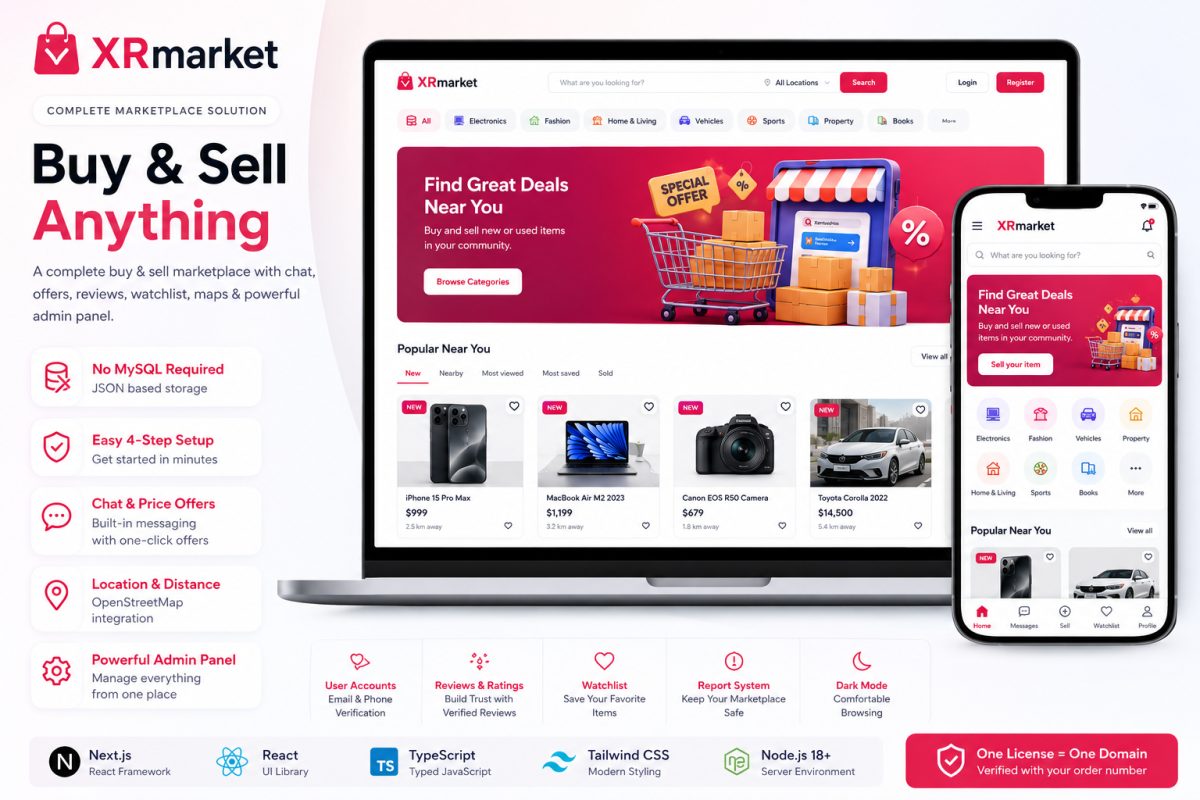
XRmarket is a modern, feature-rich classified marketplace script designed for buying and selling new or used products online.
Users can create listings with photos and videos, communicate through built-in chat, make and receive price offers, save products to their watchlist, and leave reviews after a purchase.
The powerful admin panel gives you complete control over users, listings, categories, banners, marketplace settings and more.
Why XRmarket?
- Modern and responsive marketplace design
- Buy & sell new or used products
- No MySQL database required
- JSON-based data storage
- Built-in buyer & seller messaging
- Price offer system
- Seller reviews and ratings
- Watchlist and saved listings
- OpenStreetMap integration
- Distance between buyers and sellers
- Powerful administration panel
- One-click installation wizard
- Complete source code included
- Mobile-friendly app-style interface
- Dark mode included
Marketplace Features
Product Listings
- Create and manage product listings
- Multiple photos per listing
- Optional listing video
- Product categories
- New and used condition
- Price and currency support
- Location information
- Buyer/seller distance
- View and save counts
- Sold status
- Report listing system
Search & Discovery
Help buyers quickly find what they are looking for with:
- Dedicated search page
- Category browsing
- New listings
- Nearby listings
- Most viewed
- Most saved
- Sold listings
- Grid view
- List view
- Sorting and filtering
Buyer & Seller Chat
Users can communicate directly through the built-in messaging system.
Buyers can contact sellers about products and send price offers directly through the conversation.
Seller Profiles
Every seller gets their own storefront/profile with:
- Seller information
- Active listings
- Seller statistics
- Reviews
- Verified-buyer reviews
- Product listings
Watchlist
Buyers can save products to their watchlist and easily return to them later.
Real save counts are displayed on listings.
Location & Maps
XRmarket includes location features powered by OpenStreetMap.
- Select listing location on a map
- Display seller/listing location
- Calculate buyer–seller distance
- No Google Maps API key required
User Accounts
XRmarket includes a complete account system:
- User registration
- Email address
- Phone number
- 6-digit email verification
- Verified user badge
- Forgot password
- Secure login
- User profiles
Guest Protection
Guests can browse the marketplace, but actions such as messaging, saving listings and other member features require an account.
Login prompts are displayed automatically, with server-side protection included as well.
Powerful Admin Panel
Take full control of your marketplace from the administration dashboard.
Dashboard
- Marketplace statistics
- User statistics
- Listing statistics
- 14-day activity charts
- Marketplace overview
Listing Management
- View listings
- Approve listings
- Reject listings
- Edit listings
- Delete listings
- Approve-before-publish system
User Management
- View users
- Edit users
- Verify users
- Suspend users
- Ban users
- Promote users
Category Management
Create and manage your marketplace categories directly from the admin panel.
Hero Banner Manager
Manage the main marketplace hero banners and promotional content.
Marketplace Settings
Configure important marketplace rules, including:
- Marketplace on/off
- Minimum price
- Maximum price
- Price offers on/off
- Video listings on/off
- Currency
- Distance unit
- Selling rules
Easy 4-Step Installation
XRmarket includes a simple setup wizard designed to make installation quick and easy.
Step 1
Enter your ScriptBull order number.
Step 2
Create your administrator account.
Step 3
The system automatically checks your server requirements.
Step 4
Complete the setup and start using your marketplace.
Full HTML documentation is included.
Technology
XRmarket is built using modern web technologies:
- Next.js
- React
- TypeScript
- Tailwind CSS
- Node.js 18+
- Next.js App Router
The interface is fully responsive and includes a mobile app-style bottom navigation bar.
No MySQL Required
One of the biggest advantages of XRmarket is its simple data storage system.
No MySQL or external database server is required.
Marketplace data is stored using JSON files, making installation easier on supported Node.js hosting environments.
Hosting Requirements
XRmarket is a Node.js application.
Requirements:
- Node.js 18+
- Node.js-compatible hosting
- Ability to run a Node.js application
It can be installed on supported cPanel hosting using Setup Node.js App.
Important: This is not a PHP application and cannot run on standard PHP-only hosting.
Source Code
XRmarket includes the complete, unobfuscated source code, allowing you to customize and extend the application according to your requirements.
Live Demo
Demo: https://xrmarket.hi24.co.uk
Demo login credentials and available demo accounts are provided on the login page.
License
One license = one domain.
The license is automatically verified during installation using your ScriptBull order number.
Documentation
Complete HTML documentation is included to help you install, configure and manage XRmarket.
Build Your Own Marketplace
Launch your own modern classified marketplace with XRmarket and give your users everything they need to buy, sell, communicate and discover products online.
XRmarket — Simple. Modern. Powerful.
- Multi-platform support
- Clean admin panel
- Full documentation
- Lifetime updates
No reviews yet — be the first to review this script.
No questions yet — ask the seller anything.